Will the system work together?
Start with the image, computer and software access—not just the launch monitor. This checklist separates published requirements from questions you must still verify.
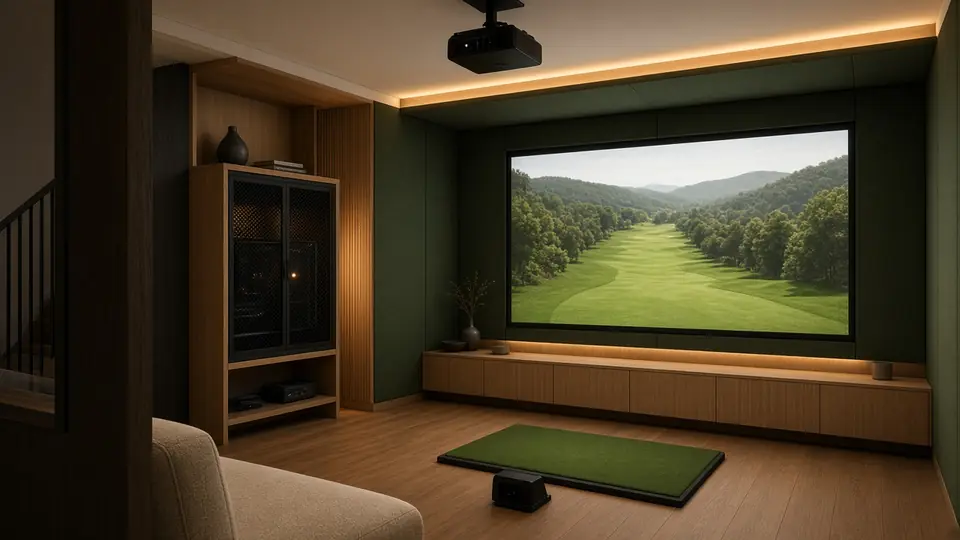
Match throw distance to the image width
Use a documented throw ratio. Throw distance is measured to the projector’s documented lens reference point, not the back of a ceiling mount.
Starting lens distance
For an 8 × 5 ft image at 16:10.
- Compare that position with the swing path and player shadow; this calculator cannot see them.
- Verify native input/output aspect ratio, crop vs letterboxing, image offset, keystone and lens shift in the manual.
- Check mount rating, cable/power routing, screen deformation, ventilation and access for maintenance.
- Projector support for an aspect ratio does not mean the impact screen has the same ratio.
Worked example: 0.521 × 8 ft = 4.168 ft (about 4.17 ft). Source: Optoma ZW350ST merchant specification. The ledger recheck found the published SIG8 6 ft 4 in throw-distance row does not match simple 0.521 × 7 ft 7 in (3.954 ft). This page therefore provides arithmetic only and does not select between those seller reference distances.
Put the software’s computer beside the monitor’s app
| Software family | OS / connection | Published PC baseline | What to verify |
|---|---|---|---|
| FlightScope FS Golf Mevo Gen2 | iOS 18+, Android 14+, Windows 10/11 64-bit; supported device generations apply. | Windows minimum: Intel i3-13100 / Ryzen 5 5560, 8GB RAM, 10GB free storage. Recommended: 16GB RAM; DirectX 11 graphics. | Included eight-course E6 entitlement is separate from FS app requirements. |
| GSPro Official software requirements | Windows 10/11 only; no macOS or iOS. Internet and model-specific Ethernet/Bluetooth. | 1080p minimum: 10GB free, GTX 3060, 16GB RAM. Recommended 1080p: 20GB free, RTX 3070/3060 Ti, 16GB. 4K: RTX 3080+, 32GB. | “GTX 3060” is the page’s published wording; use the exact official wording, do not silently normalize model names. |
| SkyTrak ST MAX Native/course play | Windows 10/11 64-bit; macOS/iOS and Android requirements vary. No VPN software. | Product page minimum: Intel i5, 8GB RAM, Nvidia GTX 1650 / AMD Radeon 580, 128GB SSD. Membership FAQ gives a different i3-10100F / Ryzen 2600 processor baseline. | Recheck current app/version: two official pages differ on processor names. No iPhone course play on the product page. |
| Uneekor VIEW / third party | Windows 10 22H2+ 64-bit minimum; dedicated Ethernet; 25 Mbps+. No Mac/Linux. | Minimum: Intel Ultra 5 / i5 12th gen+ / Ryzen 5 5000+, 16GB RAM, RTX 3060-equivalent 12GB. Recommended: 32GB, RTX 4070 Ti+. | EYE MINI LITE recommended spec is Windows 11, i7 12th gen+/Ryzen 7 5000+, 32GB, RTX 4070 Ti-equivalent and two Ethernet ports. |
| Foresight FSX Play GC3 prerequisite | 64-bit Windows 10+; not Apple, iPhone/iPad or Android for FSX Play. | 7th gen Intel i5+, 8GB RAM, Nvidia RTX 3060 minimum. | GC3 current purchase includes only a 30-day Foresight+ Gold/Course Pass Pro trial. Ongoing price unknown. |
| E6 Connect PC General reference | Windows 10; internet required for the reviewed specification. | Manual recommended system: Intel i5, 8GB RAM, Nvidia 1070 or equivalent with DirectX 11, 25GB hard-drive space. | A device bundle does not establish general subscription pricing or every monitor’s entitlement. |
Computer connections checklist
- HDMI or supported display output to projector/TV
- Correct Ethernet, Wi‑Fi, USB or Bluetooth path for the exact monitor
- Current firmware, GPU driver and supported software version
- Free storage for courses, updates and swing video
- Power protection and safe cable routing around the hitting area
Inputs that can change cost
Windows license, adequate GPU, second display, USB/Ethernet adapter, HDMI length, keyboard/mouse and mounting hardware are not automatically included. Add each selected line to the build-cost calculator.
“Supported” does not mean “included”
| Monitor | Native software / baseline | GSPro | Other software and major caveat |
|---|---|---|---|
| Garmin R10 Official launch MSRP | Paired compatible smartphone. Home Tee Hero needs Garmin Golf membership: $99.99/yr or $9.99/mo. | Officially supported; $250/yr; Windows PC. | Awesome Golf support by exact model/platform. E6/general pricing not established. |
| Garmin R50 Built-in display | Built-in Home Tee Hero with active membership for course features; built-in display doesn’t remove third-party requirements. | Officially supported; $250/yr; Windows PC. | Garmin identified E6/Apex as “coming soon” in its 2024 release—do not present that old wording as current availability. |
| SkyTrak ST MAX Official tiers | Essential $99.99/yr. Core Foresight $299.99; Core Trackman $349.99; Elite $599.99. Current promo includes one Core Foresight year through Nov 12. | Not on GSPro’s official supported list. Do not infer support from an open API. | E6 is identified in general/manual material; cross-check exact ST MAX entitlement before buying. |
| FlightScope Mevo Gen2 Official product | FS Golf practice; eight E6 Connect courses for iOS/PC included with stated $0 recurring fees. | Officially supported; $250/yr; Windows PC. | Awesome Golf PC/iOS. Included E6 bundle is not blanket free E6 access. |
| Square OE / Omni Sold-out listing | Square native app on supported Windows, Android or iOS per reviewed support records. | Officially supported; $250/yr; Windows PC required for connector and software. | E6 and Awesome Golf integrations identified. Numeric setup requirements remain incomplete; sold out at check. |
| Uneekor EYE MINI LITE Entitlement rules | Free Player package included; product FAQ says a package is required to use it, with included essentials. | Both $250/yr GSPro and qualifying active membership; base Pro derived $199/yr. Pro+ $299/yr includes initial GSPro year; renewal mechanics unknown. | E6, TGC 2019, Creative Golf listed. Current free GSPro offer through Dec 15 has a Dec 31 registration step. |
| Foresight GC3 Current bundle | Only 30 days Foresight+ Gold/Course Pass Pro confirmed on reviewed product page. | FSX 2020 or FSX Play required plus GSPro $250/yr. | Awesome Golf connection guide covers GC3; never import a legacy lifetime bundle into this purchase. |
Official support pages used: GSPro supported devices/prerequisites, Awesome Golf pricing, E6 reference. Unknown pricing is not zero. See software costs for arithmetic.
Before you add anything to a cart
Does a launch-monitor listing under $2,000 mean a simulator costs under $2,000?
No. It describes the reviewed monitor’s price only. A display device, software tier, net or enclosure, mat, projector, cables and other components can be additional. Use the editable build-cost calculator.
Can I use the projector’s native aspect ratio with any impact screen?
Not necessarily. Verify screen dimensions and shape, supported ratios, cropping or letterboxing, lens offset, projector distance and the actual projected image. The arithmetic here does not resolve physical mounting.
Does GSPro compatibility mean I only pay $250 per year?
No. GSPro needs a Windows PC, and some monitor families require an additional manufacturer tier or software entitlement. Uneekor needs a qualifying paid tier; GC3 needs FSX 2020 or FSX Play; SkyTrak is not on GSPro’s official supported list.
Will the room planner certify that my setup fits?
No. It compares your dimensions with some published distances and shows unresolved evidence. Physical swing clearance, enclosure design, projector placement and containment need separate verification.
Price the selected system, not an imaginary bundle.
Carry the monitor, computer, display path, software tier and components into one editable total.
Open the build-cost calculator